Buying guide
Hurricane & Blackout Power Checklist: Gear, Sizing and Safety
A clear plan for keeping essential devices powered before, during, and after an outage.
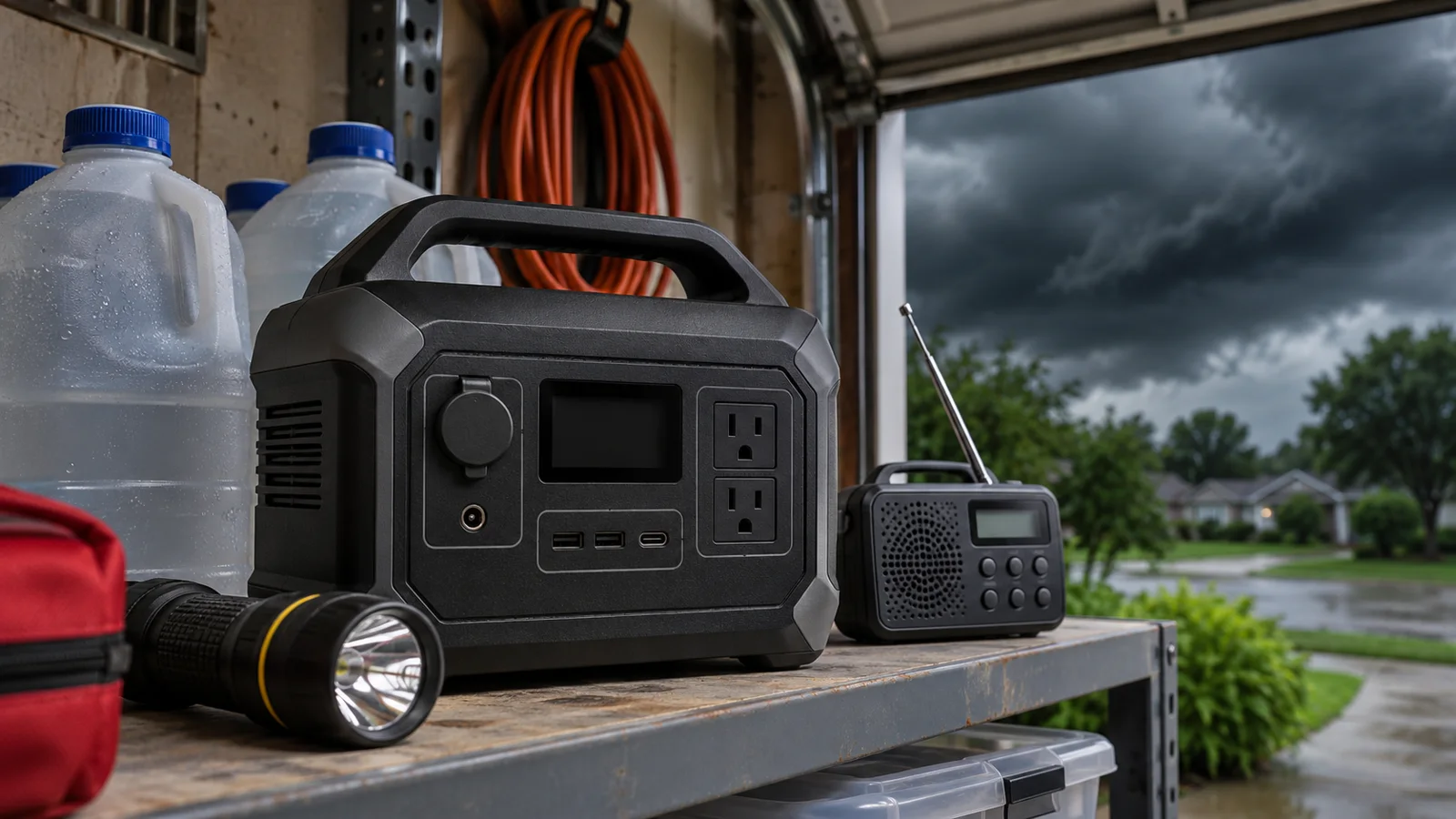
Quick picks


Best fast-recharge illustration
Anker SOLIX
Anker SOLIX C1000
- 1,056 Wh
- Output: see listing
Good value

Amazon prices change constantly: tap the button for today's price.
When a storm knocks out the grid, the first problem is often not the dark. It is the quiet router, a phone with a fading battery, a refrigerator you keep opening, and the question of what deserves the power you have. A little planning turns a power station from a box of outlets into a useful outage reserve.
This checklist helps you decide what to power first, estimate runtime, charge before a storm, plan for solar, and avoid dangerous generator and carbon monoxide mistakes. It also includes five portable power station examples as illustrations—not as substitutes for sizing your own essential loads.
Product examples are compared using manufacturer-listed capacity, output and features, qualitative value for their size class, and the volume of Amazon customer ratings. For a deeper sizing walkthrough, see our watt-hour sizing guide and home-backup power station guide.
1. Make an outage power plan before the forecast turns
Start with people, not appliances. Write down medical equipment and other essential needs, then list communications, lighting, food storage, and comfort items. Keep the list somewhere everyone in the household can find it. If someone relies on powered medical equipment, ask their clinician or equipment provider about backup requirements and a contingency plan; a consumer power station is not a substitute for medical guidance.
Next, identify which items can share power and which must run continuously. A phone can be topped up periodically. A router may be needed for emergency information, but only while its internet service remains available. A refrigerator can stay closed between checks. Mark devices as essential, useful, or optional, and agree to postpone optional uses such as entertainment or cooking appliances when reserve power is low.
Prepare the non-electrical parts of the plan too: flashlights, batteries, drinking water, shelf-stable food, medication, and a way to receive local emergency alerts. Keep charging cables with the devices they serve. Store the power station where you can reach it safely, and learn its controls before a storm arrives. Our portable power station ranking can help compare different sizes, while the buying guide explains capacity and output basics.
Finally, check local evacuation guidance. If authorities tell you to leave, do not stay behind to protect equipment or wait for a battery to recharge.
2. Size capacity around essentials and realistic runtime
Capacity, measured in watt-hours (Wh), is the energy reserve. Output, measured in watts (W), is the rate at which a station can supply power. Your devices must fit both: their combined demand must stay within the station’s output, and their energy use determines how quickly the battery drains. A large capacity does not automatically mean an appliance will start or run.
Use this estimate for AC-powered devices: runtime in hours = capacity in Wh × 0.85 ÷ device watts. The 0.85 factor accounts for conversion losses. For a group of devices, add their wattage while they operate together, then divide the usable energy estimate by that combined load. Treat the result as planning guidance, not a guarantee: cycling appliances, temperature, settings, and actual consumption change the outcome.
Check each appliance’s operating wattage and startup demand, then compare both with the power station’s rated output and surge capability. Refrigerators and other motor-driven loads can have a higher startup draw than their normal running demand. Do not assume a station can run central air conditioning, a space heater, or a cooking appliance just because it has an AC outlet. For a dedicated comparison of small backup loads, read what a 1,000 Wh station can run; for medical gear, see our CPAP and medical-device guide.
When in doubt, prioritize short, essential charging sessions and preserve reserve for the next night.
3. Charge ahead and ration power during the outage
Charge devices and the power station before severe weather threatens your area. Follow the station manufacturer’s charging instructions and use a suitable outlet. A fast-charge mode can be useful when time is short, but learn how to activate it in advance and consider the manufacturer’s guidance about routine charging. Keep phones, battery packs, radios, and medical-device batteries topped up as part of the same preparation routine.
Once the outage begins, use a simple schedule. Charge phones together, then disconnect them. Run a router only when you need connectivity. Keep refrigerator doors closed and avoid repeatedly checking contents. Switch off displays, lights, and accessories when they are not needed. Check the station’s remaining charge periodically rather than leaving every device plugged in around the clock.
Plan for a longer outage than the first estimate. Save some capacity for overnight needs and essential communications instead of spending the reserve on convenience during the first few hours. If the battery is falling faster than expected, disconnect lower-priority loads and recalculate using the power station’s remaining capacity and the devices’ combined draw.
A portable power station can charge from AC power, a vehicle, or compatible solar equipment depending on its inputs and accessories. Confirm the exact charging method and cables for your chosen unit before storm season. For a comparison of battery backup and fuel-powered options, see portable power station versus gas generator.
4. Use solar as a backup plan, not a weather promise
Solar panels can replenish a compatible power station when the grid is down, but hurricane weather is a difficult time to count on sunlight. Heavy cloud, rain, shade, poor panel angle, and limited daylight can all reduce the energy collected. Treat solar as a way to extend your reserve when conditions allow—not as a guaranteed replacement for a full battery before landfall.
Check that the panel’s output and connector are compatible with the power station’s solar input. Respect the station’s maximum solar input and follow the manufacturer’s wiring instructions. Keep panels stable, clear of standing water, and positioned away from falling branches, debris, and evacuation routes. Bring them in if weather conditions make deployment unsafe. Never climb onto a roof or expose yourself to dangerous conditions to chase extra sunlight.
Think through the whole charging day: when the panel can sit in direct sun, which devices still need power, and whether the station must remain available indoors. Some units support solar charging and some do not; verify compatibility, input limits, and included cables before purchasing. The solar generator guide compares stations designed to pair with panels, and our solar charging guide covers practical setup and charge-time factors.
For an example with a stated solar input, the BLUETTI AC180 lists support for up to 500 W solar input. Actual charging time depends on conditions and setup; do not assume the advertised maximum will be available throughout a storm outage.
5. Generator safety: carbon monoxide is an immediate threat
Fuel-burning portable generators produce carbon monoxide (CO), an odorless, colorless gas that can kill. Operate a generator outdoors, far from doors, windows, and vents, and follow its manufacturer’s placement and clearance instructions. Never run one inside a home, garage, basement, crawl space, shed, or other enclosed or partly enclosed area—even with doors or windows open. Do not use a generator on a porch or near an air intake.
Install working CO alarms on every level of the home and outside sleeping areas, following the alarm manufacturer’s instructions. If an alarm sounds or anyone develops possible CO symptoms such as headache, dizziness, weakness, nausea, or confusion, get everyone outside into fresh air and call emergency services. Do not re-enter until responders say it is safe.
Keep the generator dry and handle fuel only as its manufacturer directs. Let equipment cool before refueling, and store fuel safely away from living areas and ignition sources. Never connect a generator to home wiring by plugging it into a wall outlet. Use a properly installed transfer switch and a qualified electrician if you need to connect it to household circuits. A portable power station avoids combustion exhaust during operation, but it still needs sensible electrical handling and ventilation according to its instructions.
For official, situation-specific instructions, follow local emergency management and fire-safety guidance. Read our generator comparison before deciding which backup approach fits your home and outage plan.
6. Product example: BLUETTI AC180
The BLUETTI AC180 is a useful example for households comparing a roughly 1kWh-class station with higher AC output. Its listed capacity is 1,152 Wh, and its rated AC output is 1,800 W. The product title gives a 2,700 W peak figure, while the manufacturer’s bullet points describe a boost mode for higher needs. Check the operating and surge requirements of your own appliances rather than treating those numbers as a promise that every appliance will work.
The AC180 lists two 1,800 W AC outlets in its title and nine outlets in the product details. It also lists a built-in solar charge controller supporting up to 500 W solar input, and an advertised AC recharge to full in one hour. Charging time depends on the charging method and conditions; follow the unit’s instructions. Its Amazon customer rating is 4.5 out of 5 from 1,900 ratings, and its value for its size class is labeled Excellent.
For outage planning, use the 1,152 Wh capacity in the runtime formula, then leave a reserve rather than assigning every watt-hour to one appliance. The unit’s listed UPS function may matter for compatible electronics, but verify the setup and transfer behavior you need before relying on it. Consider this model if its capacity, output, solar capability, and value label match your priorities. Compare it with other options in our under-$1,000 roundup and our LiFePO4 guide.
7. Product examples: Anker SOLIX C1000 and BLUETTI Elite 100 V2
The Anker SOLIX C1000 lists 1,056 Wh capacity and advertises AC charging to 80% in 43 minutes and full charge in 58 minutes using its UltraFast mode. Its manufacturer-listed features include nine ports and up to 600 W solar recharging. It has a 4.7-out-of-5 Amazon rating from 2,100 ratings and a Good value label for its size class. Those fast-charge and solar figures describe the advertised charging setup; confirm that the mode, input, panels, and conditions fit your plan.
The BLUETTI Elite 100 V2 offers 1,024 Wh capacity and 1,800 W rated AC output, with 2,700 W lifting power described by the manufacturer. Its product details list 11 ports and a 30dB operating-noise figure, plus an advertised 70-minute full charge using TurboBoost AC charging or 1,000 W solar charging. It has a 4.5-out-of-5 Amazon rating from 1,800 ratings and a Good value label.
These are close in capacity, but their stated features differ. The Anker emphasizes rapid AC recharge and nine ports; the BLUETTI emphasizes a higher listed port count, rated output, and an advertised solar-charge option. Compare your actual device wattage, charging access, and preferred connections before choosing. Neither capacity alone nor a headline charging time establishes how many hours your refrigerator, router, or CPAP will run.
8. Product examples: Jackery Explorer 1000 v2 and OUPES Mega 1
The Jackery Explorer 1000 v2 lists 1,024 Wh capacity, 1,500 W AC output, and a 3,000 W surge peak. Its manufacturer-listed features include six charging ports, two USB-C ports, three pure sine wave AC ports, app control, and an advertised one-hour charge when emergency charging is activated in the app. Its Amazon rating is 4.7 out of 5 from 3,700 ratings. Its value for its size class is labeled Premium price. It is an example for shoppers who prioritize its stated output and fast-charge option, while weighing that value label against other priorities.
The OUPES Mega 1 lists 1,024 Wh capacity and 2,000 W rated AC output, with a 4,500 W surge figure in its title. Its manufacturer’s bullet points advertise 0–80% AC charging in 36 minutes, 13 outputs, and expansion to 5,120 Wh with the OUPES B2 extra battery. The unit has a 4.5-out-of-5 Amazon rating from 1,500 ratings and a Fair value label for its size class. Confirm accessory compatibility and the exact setup required for expansion before planning around it.
These examples show why a single “best” answer can mislead: output, charging options, expansion, ports, and qualitative value all point to different priorities. Check current details and check the current price on Amazon before ordering. For broader comparisons, see 2,000 W-plus stations and our full ranking.
9. Choose, maintain, and avoid common outage mistakes
Choose a station by working backward from your essential-load list. First, confirm that its rated output and surge capability can handle the devices you need to run. Next, estimate runtime from capacity and actual wattage. Then compare charging methods, solar compatibility, connections, portability, and qualitative value for the size class. Check the current price on Amazon, and confirm the port layout and included charging cables before ordering. For a more detailed selection framework, use our complete buying guide.
Store the station in a dry, temperature-appropriate place and follow the manufacturer’s instructions for storage charge, inspection, and recharging. Keep it away from water, heat sources, and evacuation obstacles. Check it periodically so it is ready before hurricane season, and inspect its cables and accessories. Battery chemistry and care guidance vary by product; follow that specific manual rather than applying a guessed charging schedule. The battery chemistry guide explains the main trade-offs.
Avoid three common mistakes: sizing by capacity alone, assuming a refrigerator or motor load will start without checking surge demand, and counting on solar production during severe weather. Do not overload outlets or use a fuel generator indoors. Keep some battery reserve for critical needs, and disconnect loads that are not essential.
For most households, the practical recommendation is a layered plan: charge ahead, protect communications and medical needs first, ration power, and use solar only when safe and conditions permit. Choose the station that fits your measured loads—not the most dramatic headline number.
Every model mentioned, at a glance
| Value for its size | Availability | |||||||||
|---|---|---|---|---|---|---|---|---|---|---|
| BLUETTI AC180 Best overall | 8.2 | 1,152 | 1,800 | Yes | See listing | 500 | See listing | 4.51,900 ratings | Excellent value | Check price on Amazon |
| Anker SOLIX C1000 | 6.2 | 1,056 | See listing | Not stated | See listing | 600 | See listing | 4.72,100 ratings | Good value | Check price on Amazon |
| OUPES Mega 1 | 5.8 | 1,024 | 2,000 | Not stated | 3500 | See listing | 27.8 | 4.51,500 ratings | Fair value | Check price on Amazon |
| BLUETTI Elite 100 V2 Best for camping | 6.6 | 1,024 | 1,800 | Not stated | See listing | 1000 | 25 | 4.51,800 ratings | Good value | Check price on Amazon |
| Jackery Explorer 1000 v2 | 5.9 | 1,024 | See listing | Yes | 4000 | See listing | 25 | 4.73,700 ratings | Premium price | Check price on Amazon |
Specifications as stated in the Amazon listing. Missing details: see listing. Scores use specifications and buyer ratings. How we rank.
Frequently asked questions
How do I estimate how long a power station will run a device?
Use runtime in hours = capacity in Wh × 0.85 ÷ device watts for an AC-powered device. For several devices running together, add their wattage and use that combined load. This is an estimate, not a guarantee: appliance cycling, settings, temperature, and conversion losses affect actual runtime. Check the device’s real operating demand and startup requirements before planning around it.
Can a 1,000Wh power station run a refrigerator?
It may be able to power some refrigerators, but capacity alone cannot answer that. Check the refrigerator’s running wattage and startup surge, then compare those demands with the station’s rated output and surge capability. Estimate runtime using the refrigerator’s actual energy use and leave a reserve for other essentials. Keep the refrigerator closed as much as possible during an outage.
Can I run a gas generator in my garage if the door is open?
No. Never run a fuel-burning generator in a garage, even with the door open. Carbon monoxide can build up and enter the home. Operate it outdoors, away from doors, windows, and vents, and follow the manufacturer’s placement instructions. Use working CO alarms and follow local emergency guidance. If an alarm sounds, get outside and call emergency services.
Will solar panels keep my power station charged during a hurricane?
Do not count on it. Rain, clouds, shade, limited daylight, and unsafe wind conditions can sharply limit solar charging or make panel deployment unsafe. Treat solar as a possible way to extend your reserve when conditions are suitable. Confirm that the panels, connectors, and input limits match your station, and never risk personal safety to position a panel.
How should I store a portable power station between outages?
Follow the specific manufacturer’s storage and recharge instructions. Keep the unit dry, away from heat sources and standing water, and somewhere accessible if you need to evacuate. Periodically check its condition, cables, and charge readiness so it is not a surprise when severe weather arrives. Battery storage guidance can differ by model, so avoid guessing at a universal charging schedule.
What should I power first during a blackout?
Prioritize critical medical needs and communications, then essential lighting and food preservation. Follow medical-device guidance from the person’s clinician or equipment provider. Charge phones in scheduled sessions, keep refrigerator doors closed, and postpone optional loads. A written priority list helps everyone make the same decisions and preserves battery capacity for overnight needs or a longer outage.

